8
Step 8
Detect gaps and create a CUE sheet
Follow this step, then use the next button at the bottom. This keeps the guide readable and avoids burying important settings in one long page.
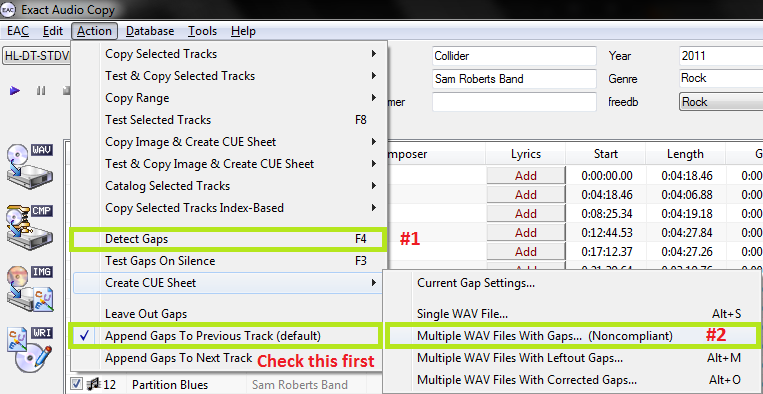
- Use Action > Detect Gaps before ripping. Gap data is important for a complete rip log.
- Keep Append Gaps To Previous Track selected unless you have a specific reason to change it.
- Create a CUE sheet using the multiple WAV files with gaps option, then save it with the rip folder.
NMP note: Do not save the rip into a path containing private information that would later appear in logs or CUE files.